



Creating a home office that balances comfort and productivity is essential for anyone working remotely or managing tasks from home. A thoughtfully designed workspace can improve focus, reduce stress, and make your workday more enjoyable. Whether you have a dedicated room or a small corner, these tips will help you set up an environment tailored for success.
Choose the Right Location
Find a Quiet, Low-Traffic Area
Your workspace should be in a part of your home with minimal distractions. Select a room or corner where noise and foot traffic are limited to maintain concentration throughout the day.
Consider Natural Light
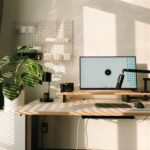
Position your desk near a window if possible. Natural light boosts mood and energy while reducing eye strain. When natural light isn’t an option, invest in good-quality artificial lighting that mimics daylight.
Invest in Ergonomic Furniture
Select a Comfortable Chair
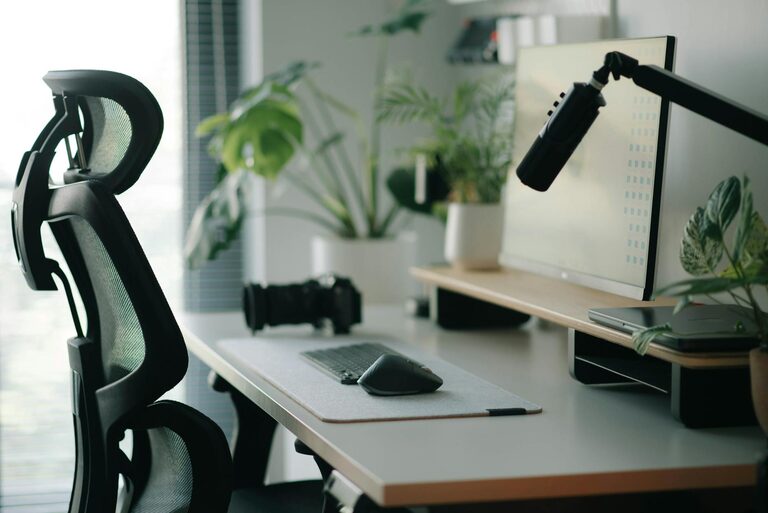
An ergonomic chair supports your back, encourages good posture, and reduces the risk of discomfort from prolonged sitting. Look for adjustable height, lumbar support, and padded seating.
Use a Proper Desk
Choose a desk that fits your space and accommodates your work tools comfortably. The height should allow your arms to rest naturally at or below elbow level when typing.
Consider Standing Options
Adjustable desks or desk converters allow you to alternate between sitting and standing, promoting movement and reducing fatigue.
Organize Your Workspace
Keep Essentials Within Reach
Store frequently used items like pens, notebooks, and devices close at hand to minimize distractions caused by searching.
Declutter Regularly
A tidy desk clears your mind and enhances focus. Remove unnecessary items and organize papers and tools in drawers or organizers.
Use Cable Management
Tidy cables prevent frustration and create a cleaner look. Use clips, ties, or sleeves to keep cords sorted neatly.
Optimize Technology and Tools
Invest in Reliable Hardware
Ensure your computer, monitor, keyboard, and mouse meet your work needs. Dual monitors can increase efficiency, and a comfortable keyboard and mouse reduce strain.
Upgrade Your Internet Connection
A fast and stable internet connection is critical for smooth video calls and online work.
Use Noise-Canceling Headphones
These can help block out background noise and improve concentration during calls or focused tasks.
Create a Personalized and Motivating Environment
Add Personal Touches
Include photos, artwork, or plants to make your space inviting and reflective of your personality.
Incorporate Greenery
Plants improve air quality and add a calming touch to your workspace.
Manage Temperature and Ventilation
Keep your workspace comfortable by adjusting heating, cooling, and airflow. A well-ventilated room helps you stay alert and comfortable.
Set Boundaries and Routines
Define Work Hours
Establish clear start and end times to maintain work-life balance.
Communicate Your Workspace Needs
Inform family or housemates about your work schedule and the importance of minimizing interruptions.
Take Regular Breaks
Stand up, stretch, or take a short walk every hour to reduce fatigue.
Use Organizational Tools and Apps
Keep Track of Tasks
Use calendars, to-do lists, or task management apps to organize work and deadlines.
Manage Communication
Set designated times to check emails and messages to avoid constant interruptions.
—
Creating a comfortable and productive home office is about combining practical setups with personal preferences. By thoughtfully organizing your space, investing in quality furniture, managing your tools, and setting healthy routines, you can create an environment that supports your best work every day.