

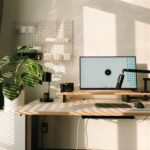
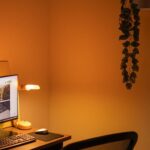



Setting up a home workspace that is both relaxing and productive can make a significant difference in how you work and feel throughout the day. A well-designed space helps you focus, reduces stress, and encourages creativity. Whether you work remotely full-time or just need a dedicated area for occasional tasks, creating a comfortable environment is key. Here are some helpful tips to design a relaxing home workspace that boosts both productivity and comfort.
Choose the Right Location
Find a Quiet Spot
Select an area in your home that is free from distractions and noise. Avoid high-traffic zones like the living room or kitchen when possible. A quiet corner or a spare room can serve as an ideal workspace.
Consider Natural Light
Natural light not only improves mood but also reduces eye strain. Choose a spot near a window if you can, and arrange your desk so you get plenty of daylight without glare on your screen.
Invest in Comfortable Furniture
Ergonomic Chair
An ergonomic chair supports good posture and reduces discomfort during long work hours. Look for chairs with adjustable height, lumbar support, and comfortable cushioning.
Proper Desk Height
Choose a desk with a height that allows your arms to rest naturally at your sides with elbows bent at about 90 degrees. If you’re working with a fixed desk, consider an adjustable chair to match the desk’s height.
Declutter Your Surfaces
Keep your desk surface tidy and organized. A clutter-free space helps reduce stress and makes it easier to focus on the task at hand.
Personalize Your Workspace
Add Soothing Colors
Calming color schemes like soft blues, greens, or neutrals can help create a peaceful atmosphere. Avoid overly bright or harsh colors that may cause distraction.
Use Plants for Freshness
Indoor plants purify the air and add a natural, calming touch to your workspace. Consider low-maintenance plants like succulents or snake plants.
Display Inspiring Items
Include a few personal items such as photos, artwork, or motivational quotes that inspire you, but don’t overcrowd your space.
Manage Lighting Effectively
Combine Natural and Artificial Light
In addition to natural light, make sure you have good artificial lighting, especially for evening work. A desk lamp with adjustable brightness can reduce eye strain.
Avoid Glare and Shadows
Position screens away from direct sunlight and adjust lighting to minimize glare and shadows on your work surface.
Organize Your Tools and Supplies
Use Storage Solutions
Make use of drawers, shelves, and organizers to keep your office supplies within reach but out of the way. Proper storage reduces clutter and helps maintain a serene space.
Digital Organization
Besides physical tidiness, keep your digital workspace organized. Regularly clean up files and arrange your desktop and email inbox for easier access to important information.
Incorporate Relaxing Elements
Add Comfort Items
Use a soft cushion, footrest, or cozy throw blanket to make your workspace inviting and comfortable.
Play Background Sounds
Some people find white noise or soft instrumental music helpful for concentration. Experiment to see what works best for you.
Take Breaks Intentionally
Design your workspace to encourage regular breaks. Add a small area or chair nearby where you can step away from your desk and relax for a few minutes.
Maintain a Regular Routine
Set Boundaries
Clearly define work hours and workspace boundaries to help separate work from personal life, especially when working from home.
Keep Your Space Clean
Regularly dust and clean your workspace. A fresh environment uplifts mood and maintains comfort.
—
Creating a relaxing home workspace is about balancing comfort with productivity. By thoughtfully selecting your location, investing in ergonomic furniture, personalizing your surroundings, and keeping your tools organized, you can build a space that supports your work while promoting well-being. Remember, your workspace should adapt to your needs and preferences, making each workday more enjoyable and efficient.